Quick Summary
Choose interactive trade show booth technology by matching the format to your primary goal, then filtering by booth space, visitor throughput and total budget. Touchscreens suit demos, VR suits complex products, LED walls suit brand visibility, and kiosks or touch tables suit self-guided exploration. Always price the all-in cost, since content and labor often outweigh hardware rental.
- Pick one primary goal per activation: traffic, qualified leads, or brand memory.
- Keep touchscreen interactions to 60 to 90 seconds with a clear result.
- Limit VR sessions to three to five minutes to keep throughput workable.
- Content and labor often cost more than hardware, so request an all-in quote.
- Start planning three to four months before the show to secure vendors.
Table of Contents
- Why Interactive Technology Changes Booth Performance
- Interactive Trade Show Booth Ideas by Technology Type
- Trade Show Game Ideas for Your Booth
- Interactive Trade Show Kiosks and Touch Tables
- Matching Technology to Goals, Booth Size and Budget
- Keeping Technology Reliable and Capturing Leads on the Show Floor
- Booking Your Next Activation Before Show Season
- Frequently Asked Questions
How to Choose Interactive Trade Show Booth Technology in 2026
Last Updated: November 16, 2026
Why Interactive Technology Changes Booth Performance
Interactive trade show booth technology turns passive browsers into active participants. Most visitors walk past a static banner in seconds. A touchscreen, a game, or a short VR demo gives them a reason to stop, stay, and talk to your team.
The value comes from dwell time and two-way interaction. Attendees who participate in an activation tend to remember the brand longer than those who only looked at graphics. They also give your exhibit team a natural opening line.
Choosing the right technology is harder than it looks. Some options are expensive to rent and difficult to run on a crowded show floor. Others are cheap but do little to attract the people you want to meet.
Interactive Trade Show Booth Ideas by Technology Type
Interactive booth technology falls into a few broad groups, each suited to different goals, booth sizes, and budgets. The descriptions below cover what each format actually requires on the show floor, power, space, content, staffing, and failure points.
Start by asking what your team needs from the interaction. A demo explaining a complex product works differently than a game that pulls people in. Matching format to goal keeps the technology from becoming a distraction.
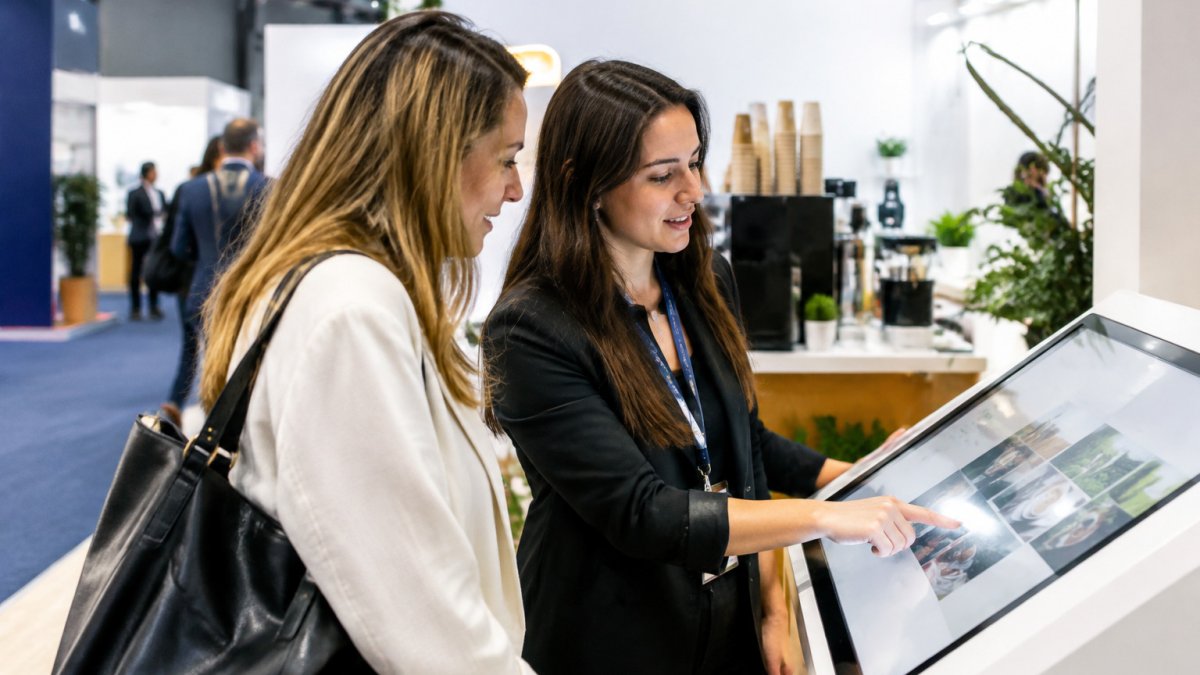
!Attendees gathered around an interactive touchscreen display in a bright trade show booth, a staff member guiding a guest through the screen
Touchscreens and Interactive Displays
Touchscreens are the most common entry point for booth interaction. A large display can show product configurators, catalogs, or short explainer videos that visitors control with their own hands.
Best for: Product demonstrations and self-guided exploration.
What separates a working touchscreen from an idle one is content design. Build each interaction to deliver a clear result in 60 to 90 seconds, a configured product, a matched solution, a saved spec sheet.
A commercial-grade display rated for continuous operation handles a full show day better than a consumer TV. Plan for a locked enclosure or staffed position, since loose tablets walk away.
Pair the display with a staff member who can answer questions and capture contact details. A screen alone collects attention; a person converts it.
VR, AR and Simulations
Virtual reality and augmented reality let visitors experience something that would be impossible on a show floor, such as a walk through a factory line or a product in a customer’s environment. Simulations can also let people practice a task and see the outcome.
Best for: Complex products, training demonstrations, and experiences that need a memorable “wow” moment.
VR headsets require space, power, and someone to sanitize and fit them. Plan for queues and short sessions, three to five minutes is a common ceiling before throughput collapses.
Watch out: Headsets that require a tethered PC limit where the station can sit and add cabling trip hazards in a crowded aisle. Confirm the venue’s power drop location before you commit to a layout.
LED Walls and Projection Mapping
Large-format displays draw attention from across the hall. An LED wall can show brand films, live social feeds, or real-time data. Projection mapping turns a booth surface into an animated environment that changes as visitors move.
Best for: Brand visibility and high-impact visual storytelling.
These setups are powerful but demanding, needing reliable power, venue-approved rigging, and content that loops smoothly. LED walls are modular panels assembled on site, requiring crew time and a structural plan the venue must sign off on.
Ask the vendor what happens if a panel fails mid-show and whether spare modules and a technician are part of the package. A wall that goes dark on day two is worse than no wall at all.
Digital Kiosks and Touch Tables
Kiosks and touch tables sit between the single screen and the immersive installation. A kiosk is typically a standing unit with a single screen, while a touch table lets two or more people explore content together.
Best for: Self-guided catalog browsing, product finders, and collaborative exploration.
Kiosks reduce staffing load because visitors can use them unattended for short periods. Touch tables encourage conversation, useful for team-based activities or groups of colleagues. Both need a content owner to update product data before the show and a plan for exporting captured leads to your CRM.
Place them where a team member can see the screen and step in when someone needs help. A kiosk in a corner with no staff nearby often sits idle.
Product Demonstrations and Hands-On Experiences
The most persuasive interactive technology is often the simplest: a hands-on demo that lets a visitor do the thing your product does. A configurator, a working sample, or a guided task beats a passive video because the visitor leaves with a memory of using the product, not just watching it.
Best for: Tangible products, software with a clear workflow, and anything that benefits from “try before you buy.”
Design the demo around one job the visitor wants to finish, and time it to under three minutes. Staff the station with someone who can read whether the visitor is exploring or ready to talk, and give that person a scripted handoff to a sales conversation.
Matching the Format to the Goal
A quick way to narrow the field: if the goal is traffic, lead with a game or a large visual; if the goal is qualified leads, lead with a demo or configurator that reveals intent; if the goal is brand memory, lead with an immersive experience. Most successful booths combine one attention-driver with one conversion-driver rather than relying on a single format to do both jobs.
Trade Show Game Ideas for Your Booth
Games are one of the simplest ways to attract visitors. A game gives people a reason to queue, play, and share their score with colleagues. Used well, it also gives your team a structured way to collect lead information.
Keep games short, usually under two minutes, so the line keeps moving. Choose a game that reflects your product or brand so the fun reinforces your message rather than distracting from it. Common options include:
- Quiz or trivia games that test knowledge about your industry, with a prize for a high score.
- Skill challenges on a touchscreen or physical target, which are easy to run and fun to watch.
- Spin-to-win or raffle games that reward visitors who complete a short demo or share their contact details.
- Leaderboard games that show live scores on a screen and encourage repeat play.
Prizes and giveaways help drive participation, but choose them to attract the right audience. Branded items that relate to your product tend to bring in more qualified visitors than generic swag.
Watch out: Games that require visitors to hand over personal information without explaining how it will be used can create trust problems. State clearly what you will do with each contact.
Interactive Trade Show Kiosks and Touch Tables
Both formats reduce the staffing load because visitors can use them unattended for short periods. Still, place them where a team member can see the screen and step in when someone needs help. A kiosk in a corner with no staff nearby often sits idle.
Matching Technology to Goals, Booth Size and Budget
The best technology is the one that fits your goals and your space. A large LED wall in a small booth can overwhelm the visitor flow, while a single touchscreen in a large hall may get lost. Start with three questions: what should visitors do, how many people can the booth hold at once, and what is the total budget?
A Decision Framework
Work through four filters in order, because each one eliminates options before you spend time pricing them:
- Goal. Traffic, qualified leads, or brand memory. Pick one primary goal per activation; secondary goals should not drive the hardware choice.
- Space and flow. Measure the booth footprint and aisle. An immersive station needs a queue area that does not block the aisle or your neighbors.
- Throughput. Estimate visitors per hour. A five-minute VR session serves roughly 10 to 12 people an hour per headset; a touchscreen serves far more but holds attention for less time.
- Budget, including everything. Compare total cost, not the day rate.
What Drives the Cost
But the day rate is only one line. A realistic budget includes:
- Hardware rental, display, player, headset, or kiosk, plus spares.
- Content, building or adapting the experience is frequently the largest cost, especially for VR and custom configurators.
- Delivery, setup, and teardown, labor and drayage at the venue, which many halls bill separately.
- Power and connectivity, venues commonly charge for electrical drops and dedicated internet; confirm the rates before you sign.
- Staffing, a technician or trained attendant for each station, plus your sales team.
- Insurance and damage waiver, often required for high-value rentals.
Hardware is often a minority of the total, with content and labor dominating. Ask every vendor for an all-in quote that names each line, and ask what happens if a device fails mid-show.
For a sense of how a rented activation is scoped, see our guide to espresso cart rental for trade show events. It walks through how booth size and budget shape the right setup.
Many brands also pair an interactive activation with food or drink to keep people in the booth. A mobile catering option for brand activations can give visitors a reason to linger while the technology does the explaining.
A Starting Matrix
Use this as a planning starting point, not a quote. Actual costs vary widely by city, venue, and content scope.
| Booth Size | Relative Budget | Good Starting Option | Best For |
|---|---|---|---|
| Small (10×10) | Low | Single touchscreen or tablet game | Lead capture and quick demos |
| Medium (10×20) | Moderate | Touch table or kiosk plus a game | Team interaction and product exploration |
| Large (20×20+) | High | LED wall, VR, or projection mapping | Brand visibility and immersive storytelling |
Measuring Whether It Paid Off
Define the KPIs before the show so the data means something afterward. Useful measures include:
- Participation count, how many people engaged with the activation.
- Dwell time, average time per participant, which signals whether the content held attention.
- Qualified leads, contacts that meet your sales criteria, not raw scans.
- Conversion, how many of those leads moved to a meeting or opportunity after the show.
- Cost per qualified lead, total activation cost divided by qualified leads, which lets you compare formats on a like-for-like basis.
Attribute results by tagging leads with the activation source in your CRM, and compare against a booth without the activation or a prior show. Those numbers will tell you whether to spend more or less next time.
Keeping Technology Reliable and Capturing Leads on the Show Floor
Technology fails at the worst moments if you do not plan for it. Test every device the day before the show and again at the booth.
Lead capture needs its own plan. Decide in advance what information you need and where it goes. Many teams use a badge scanner or short digital form that syncs directly to their CRM.
Consent matters as well. Make it clear when a visitor provides contact details and what they will receive afterward. Keep records of consent, and remove anyone who asks to opt out.
Accessibility deserves attention too. Place screens at a height that wheelchair users can reach, use captions on video content, and offer a non-touch alternative when possible.
Booking Your Next Activation Before Show Season
Show calendars fill up quickly, and the best vendors book months ahead. Start planning at least three to four months before your event.
Build a simple timeline: one date for choosing the concept, another for finalizing content, and a third for a full test run.
If you are planning a brand activation that includes coffee or catering alongside your technology, coffee catering for brand activations explains how that fits into the overall plan.
For teams that want to balance hospitality with a strong experience, it helps to compare premium coffee catering standards against the activation goals you have set.
Colada Kulture Co. provides mobile coffee cart and trailer catering for brand activations in South Florida.
Frequently Asked Questions
What technology can make a trade show booth more interactive?
Touchscreens, interactive kiosks, touch tables, VR and AR demonstrations, LED walls and games all add two-way interaction. The best choice depends on what you want visitors to do: explore a product catalog, try a simulation, or play a short game that ends with a lead form. Start with the action you want from attendees, then pick the technology that makes that action easy and quick to complete on a busy show floor.
Are touchscreens effective for trade show booths?
Touchscreens work well when the content is short, clear and built for standing use. Visitors often engage for a minute or two, so keep menus shallow and screens easy to read from a few feet away. Plan for cleaning, a stable mount and a backup plan if a screen fails. Pairing a touchscreen with a lead capture step turns casual browsing into qualified contacts your sales team can follow up on after the show.
How do you choose technology for a trade show booth?
Begin with three questions: what you want visitors to do, how much space and power your booth has, and how much you can spend. A small booth may only need one touchscreen and a short game, while a larger island can support a VR station or LED wall. Ask vendors about rental options versus purchase, setup time, on-site technical support and how the data will reach your CRM after the event.
What should you consider before adding technology to an exhibit?
Check the show’s power, network and rigging rules before you commit, since many venues charge for electrical drops and internet access. Consider accessibility too: include seated options, captions on video and alternatives for visitors who cannot use a particular interaction. Finally, address privacy by stating clearly what contact data you collect and getting consent before capturing any lead information.